


 Global Top
Item No:56014
1/16 R/C Tank Series No.14
1/16 R/C M4 SHERMAN 105mm HOWITZER FULL-OPTION KIT

Length: 376 mm. Image shows painted and assembled kit.
Immense Realism
The M4 Sherman was a mainstay of the Allied WWII war effort, and was manufactured in a number of different variants including the 105mm howitzer depicted by this highly realistic R/C model assembly kit. Along with the accurate form of the vehicle, this model features moving suspension, realistic sounds and even lights for a truly all-encompassing scale armor experience.
Specifications
★Length: 376mm, Width: 183mm, Height: 205mm ★Fully-Equipped Weight: 3,400g ★Duralumium lower hull ★Die-cast metal drive sprockets, suspension arms and idler wheel bases ★Coil-sprung HVSS suspension ★Pre-assembled twin gearbox ★Pre-assembled plastic double-pin tracks with metal pins
The M4 Sherman was a mainstay of the Allied WWII war effort, and was manufactured in a number of different variants including the 105mm howitzer depicted by this highly realistic R/C model assembly kit. Along with the accurate form of the vehicle, this model features moving suspension, realistic sounds and even lights for a truly all-encompassing scale armor experience.
Specifications
★Length: 376mm, Width: 183mm, Height: 205mm ★Fully-Equipped Weight: 3,400g ★Duralumium lower hull ★Die-cast metal drive sprockets, suspension arms and idler wheel bases ★Coil-sprung HVSS suspension ★Pre-assembled twin gearbox ★Pre-assembled plastic double-pin tracks with metal pins
-
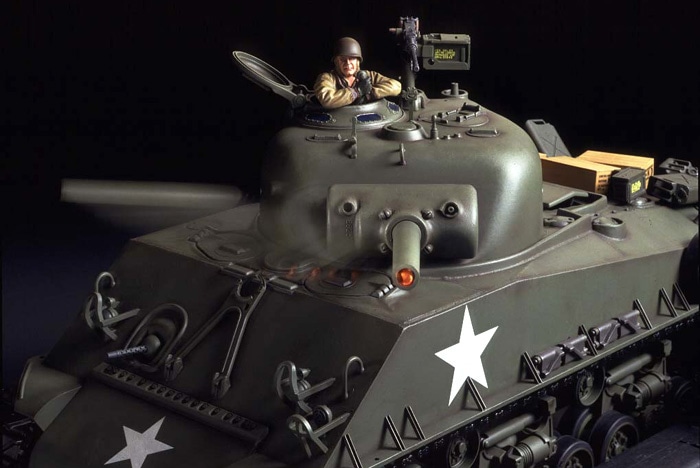 ★Full rotation is on offer from the turret, with speed controlled by stick motion.
-
 ★The main gun offers 20 degrees of vertical motion, accompanied by authentic sound effects.
-
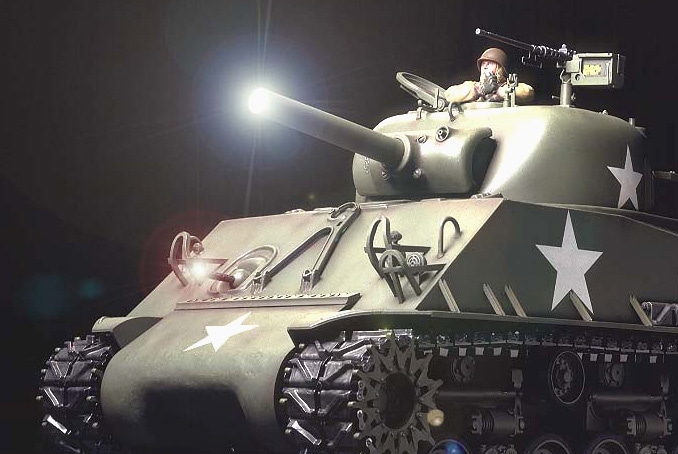 ★When firing, the main gun lights up and emits a spine-tingling roar as the vehicle itself experiences kickback.
-
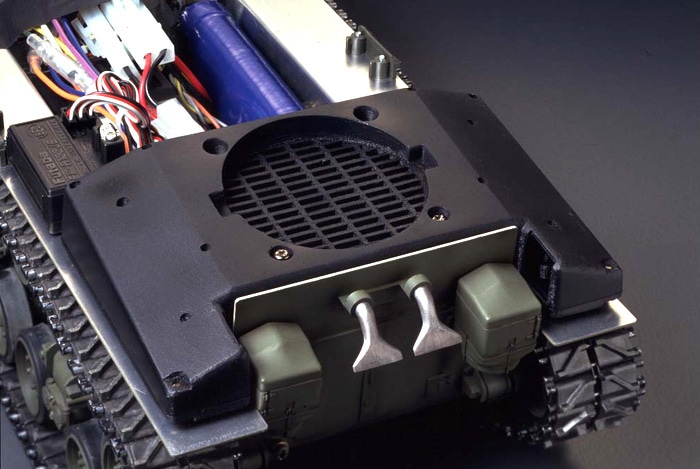 ★A speaker unit in the rear of the hull offers booming sounds to give your model serious presence.


-
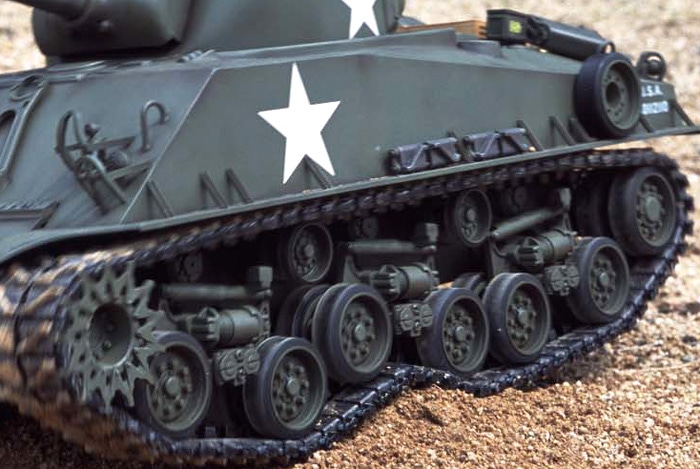 ★Highly capable HVSS suspension is coil-sprung, and combines with tracks for awesome traction.
-
 ★The M2 machine gun and M1 helmeted figure offer superb detail and a further touch of realism.
-
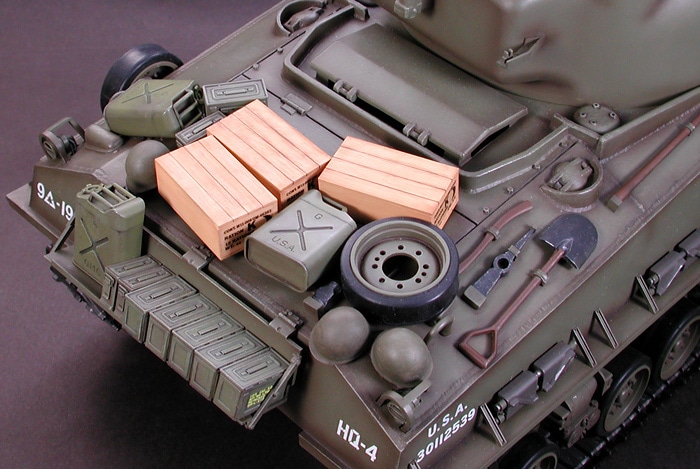 ★The rear rack can be loaded with 1/16 depictions of ammo cases, jerry cans and other accessories.
-
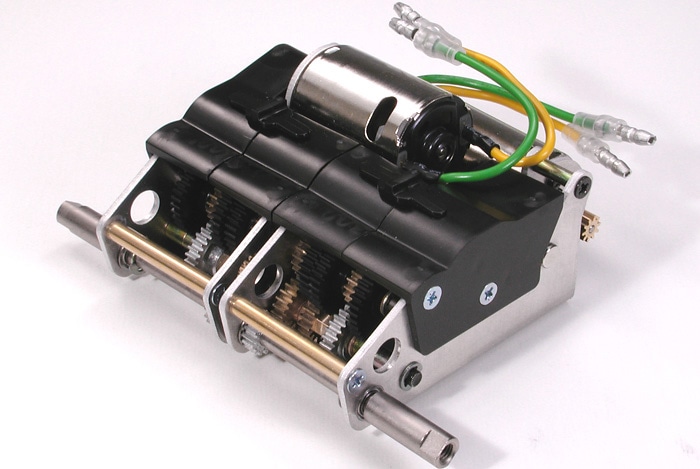 ★Twin Type 380 motors offer plenty of torque at low speeds for powerful running regardless of surface.


-
 ★The model is controlled by the DMD T-05 and MF-02 units, for highly realistic running.
-
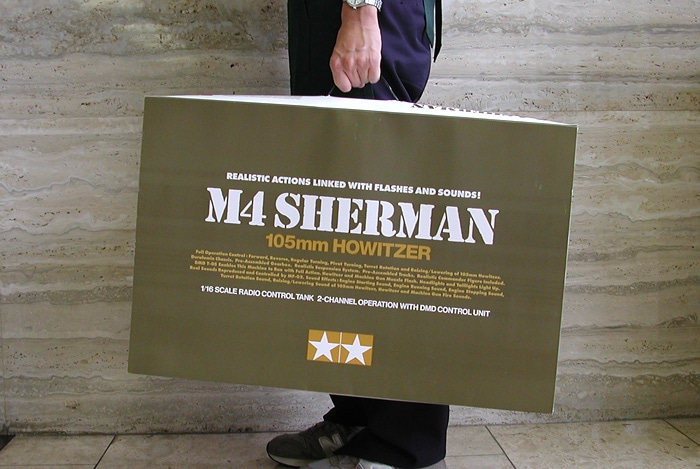 ★This hefty model comes with a dedicated carry case 678mm x 442mm x 143mm in size!


